All selected work

Electronic Arts | skate. Quick Drop

Designing an intuitive 3D spatial creation tool in a shared space

Role
UX Designer
Scope
Owned end-to-end UX design, from concept to launch
Timeline
2023-2025
Team & Partners
Game Designer, Social System Designer, UI Artist, UI Engineers, Tech Engineers, Producer, Player Researcher
Quick Drop interface

01 / The Context

Giving players new ways to shape their skate spots in multiplayer

skate. is Electronic Arts’ free-to-play, cross-platform skateboarding game, launched in Early Access in September 2025, reaching over 23 million players.
The game earned Best Early Access Game nominations at the Golden Joystick Awards in 2025 and 2026.
Players explore and skate together in a multiplayer, shared online city. Quick Drop is an in-game creation tool that lets players place, move, and rotate objects such as ramps and rails, transforming existing locations into new places to skate.
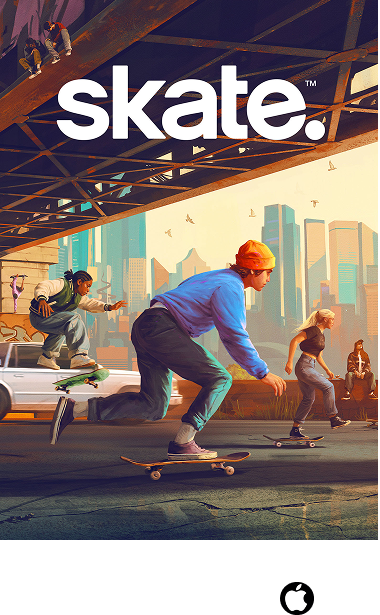
skate art and platfrom
Total Cumulative Users
23M+

Over 23 Million players and counting

02 / The Problem

Designing a 3D construction tool in a video game

Placing a ramp sounds simple. With a game controller, players must work out how to select it, move it through a three-dimensional space, turn it, and put it where they intend. Finding the right action and getting an object to move as intended could make a simple idea difficult to build. And in a shared world, one person’s creation can become another person’s obstacle.

The goal: Make it easy and enjoyable to reshape a skate spot, even without building-tool experience, while giving players control over disruptions from others.

People placing down ramps in real life

People placing down ramps in real life. How would one do that in a video game? (Photo credits: @skatejawn.com)

03 / The Solution

Simple object controls for building in a shared world

I designed contextual actions and controller inputs for selecting, moving, rotating, and placing objects. Prompts beside the object showed players what they could do next.

I also worked with the social systems team on placement boundaries and ghosted objects, helping players understand where they could build and pass through objects from creators they had blocked.

Player user Quick Drop to alter their surroundings, creating new possibilities to overcome obstacles.

04 / My Approach

Matching the method to the design question

I used different methods to define the interactions, uncover usability problems, and evaluate how the controls felt:

  • Wireframes and interaction flows helped me define cursor states, organize contextual actions, and communicate how controls should change as players selected, held, and placed objects.
  • Internal playtesting and affinity mapping helped me uncover hard-to-find actions and confusing controls. I led a building session and grouped the feedback to identify recurring problems and focus the next iteration.
  • Playable Frostbite prototypes let me explore rotation in the game engine. Using visual scripting and engineer-supplied function nodes, I built three alternatives so the team could experience and compare their behavior.
  • Research collaboration helped turn those alternatives into a focused evaluation. I defined comparison questions and proposed a building task for Player Research to use.
  • Cross-disciplinary design and build reviews helped me work through multiplayer rules and feedback with social design, engineering, and UI art, and check how the interactions came together in the game.
Quick Drop early wireframes, component states, camera definition

Quick Drop early wireframes, component states, camera definition

Internal playtesting and affinity mapping

Internal playtesting: affinity mapping consolidating feedback into action items

05 / The Process

Four key decisions that shaped the Quick Drop experience

The following decisions highlight how I balanced easy-to-learn controls, predictable object movement, and players’ freedom to create in a world shared with others.

Quick Drop interface, with 4 pointed out key decisions
1Key Decision 1: Contextual main actions
2Key Decision 2: Usability-proven rotation input
3Key Decision 3: Object moderation, disabled state
4Key Decision 4: Anti-griefing placement boundary
  1. Key Decision 1: Contextual main actions
  2. Key Decision 2: Usability-proven rotation input
  3. Key Decision 3: Object moderation, disabled state
  4. Key Decision 4: Anti-griefing placement boundary

06 / Key Decision 1

Put object actions where players are looking

The internal building playtest I led revealed that players often knew what they wanted to do next, but struggled to find the corresponding action prompt. Grouping the feedback helped me distinguish these discoverability problems.

For Quick Drop, I moved object-specific actions beside the cursor so players could find them where their attention already was, while keeping general tool controls below. I defined five interaction states—empty space (idle), targeting an object (hover), holding one (grabbed), spawning a new one (preview), and unavailable (disabled), so the available actions matched the player’s current context.

Before: Wireframe, early exploration

Before: Wireframe, early exploration

After: Wireframe, object-specific actions made contextual

After: Wireframe, object-specific actions made contextual

Shipped design, with object specific actions update based on tool state and context

07 / Key Decision 2

Defining Rotation: Why I built playable in-engine prototypes

Internal feedback also raised another question : should players rotate one axis or two simultaneously, and should rotation use the DPAD or bumpers?

To answer this, I built three playable prototypes in Frostbite using visual scripting and engineer-supplied function nodes so the alternatives could be experienced and compared. I defined the comparison questions and proposed a building task; Player Research evaluated the alternatives.

The findings favored rotating around one axis at a time. I then weighed directional button cues against consistency with existing navigation patterns, choosing bumper rotation to keep navigation and object manipulation separate. Bumper rotation carried into Quick Drop’s simpler controls.

In-engine (Frostbite) Visual Scripting Prototypes

In-engine (Frostbite) Visual Scripting Prototypes

Video of research participant testing one of my prototypes

08 / Key Decision 3

Player Controlled Moderation: Why I kept blocked objects visible

Internal playtests revealed that players could use objects to trap or disrupt others. I partnered with the senior social systems designer to define what should happen when someone blocked an object’s creator, or the individual object itself.

I advocated keeping those objects visible but ghosted. The affected player could pass through them while still recognizing occupied space, and everyone else could keep using them normally.

Before: Wireframe proposal of ghosted object state when disabled

Before: Wireframe proposal of ghosted object state when disabled

After: Shipped - Quick Drop object disabled, ghosted state, no collision only for person performing block aciton

After: Shipped - Quick Drop object disabled, ghosted state, no collision only for person performing block aciton

Shipped Design - Blocking a player turns their objects disabled; visible, but with no collision

09 / Key Decision 4

Preventing Remote Disruption: Why I limited object placement range

During internal playtesting, players had fun placing objects to interfere with one another from a distance. While playful in a controlled session, I saw how that behavior could become disruptive on public servers.

I proposed a local placement boundary so builders had to stay near the spaces and people they affected. Working with the senior social systems designer, I translated that rule into visible boundary feedback, helping players understand where they could place objects.

Before: Wireframe of placement radius limit

Before: Wireframe of placement radius limit

After: Shipped - placement radius limit VFX

After: Shipped - placement radius limit VFX

10 / Product Impact

One in four daily active players use Quick Drop, with sustained stickiness

I designed contextual object controls, bumper rotation, and clear placement feedback to help players place and adjust objects with confidence.
Quick Drop has sustained 22–25% stickiness since release, showing continued use of the creation experience.

Discoverbility
42%

Users who found the feature

Stickiness
25%

Total session days using feature

Daily Active Users Engaged
27%

Percentage of daily active used who used the feature

11 / Community Response

Players found new possibilities in familiar places

Players described using Quick Drop to make previously unskateable places usable and experimenting with people they met in the game.

Transforming spots with quick drop objects is the most fun thing in the game for me.

Reddit CommenterReddit · December 2025

the most fun collaborative builds I've created [...] with random skaters who then became friends throughout our time building and testing new spot ideas together

Reddit CommenterReddit · June 2026
Screenshots of community self created parks

Community-built skate parks using Quick Drop

12 / Next Steps

Learnings and reflections

I learned to connect available actions, controller inputs, and visual feedback into a coherent building experience. Playtesting exposed where that connection broke down, while working prototypes made the feel of rotation something the team could evaluate together. Choosing controls also meant weighing immediate clarity against familiar interaction patterns. In a shared world, I had to consider both the person placing an object and everyone affected by it. In future projects, I’d test those individual and social experiences together earlier, using playable prototypes to explore the controls and their consequences.