All selected work

Electronic Arts | skate. Replay Editor

Making advanced and complex video editing approachable

Role
UX Designer
Scope
Owned end-to-end UX design from concept to launch, Owend major updates post launch
Timeline
2024-2026
Team & Partners
Game Designer, UI Artist, UI Engineers, Tech Engineers, Cinematic Engineer, Producer, Player Researcher
Replay Editor interface

01 / Context

Returning franchise, millions of players

skate. is Electronic Arts' free-to-play, cross-platform, skateboarding game, launched in Early Access in September 2025, reaching over 23 million players.
The game earned Best Early Access Game nominations at the Golden Joystick Awards in 2025 and 2026.
Replay Editor is an in-game video editing tool that lets players turn their gameplay into expressive clips through camera control and keyframe editing.
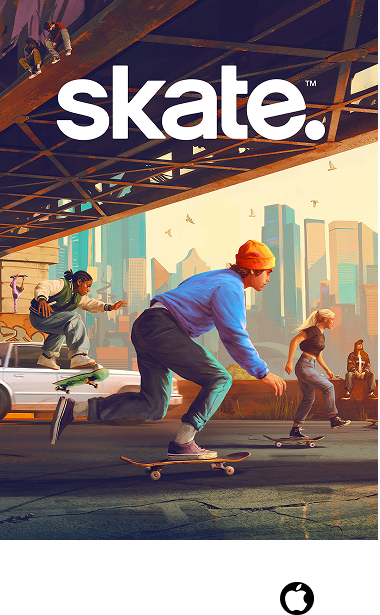
skate art and platform
Total Cumulative Users
23M+

Over 23 Million players and counting

02 / The Problem

Designing advanced video editing tool for a game controller in a video game.

Players wanted to edit their gameplay videos creatively, but fitting complex editing tools onto a gamepad made that difficult.

The goal: Make it fun and easy for players to create and edit videos they like in a video game, even if they have no video editing experience.

example of editing camera keyframes in After Effects

Game controller

designing a video editing tool for the game controller input device

03 / The Solution

Bringing a precise, steamlined, and fun video editing experience to a controller

I designed a controller-friendly Replay editor that let players quickly revisit gameplay or shape it into expressive clips. Task-based tabs, one-press keyframe capture, and contextual guidance made advanced editing approachable, while camera parameter values updated in real time to give players immediate feedback and precise control over their adjustments.

In-game footage after edits with Replay Editor (Camera keyframes + Effects applied)

04 / My Approach

How I approached the design

I used different methods to explore how the editor was organized, communicate how it should behave, and understand how players used it. I matched the approach to the problem at hand:

  • Figma wireframes and clickable prototypes helped me explore layouts, task flows, and navigation.
  • Video prototypes helped communicate camera movement, playback, and timing—behaviors that static screens couldn’t fully explain—and build a shared understanding with stakeholders.
  • Usability testing let me observe how players used the editor in a live build. I helped plan the sessions and used those observations to refine guidance and interaction defaults.
Wireframes, Interaction Flow, Button Mapping, Component Library, Component States

Wireframes, Interaction Flow, Button Mapping, Component Library, Component States

05 / The Process

Three key decisions that shaped the Replay Editor

The following decisions highlight how I balanced creative control, ease of use, and the constraints of a controller.

Annotated 3 key design decisions I pushed for the final shipped design.
1Key Decision 1: Task-based tabs
2Key Decision 2: Real-time feedback and precise camera control
3Key Decision 3: One press keyframe capture
  1. Key Decision 1: Task-based tabs
  2. Key Decision 2: Real-time feedback and precise camera control
  3. Key Decision 3: One press keyframe capture

06 / Key Decision 1

From competing timelines to task-based tabs

In my early designs, I placed each adjustable camera parameter on its own timeline, giving players a clear view of all keyframes so they could align adjustments across timelines. But showing everything at once risked overwhelming players and making it harder to focus on the adjustment they wanted to make.

Drawing inspiration from mobile editing workflows, I reorganized the tool into task-based tabs that revealed controls when needed, giving players fewer options to navigate at once while preserving detailed adjustment.

Before: multi-timeline concept

Before: Wireframe, Multi-timeline concept

After: Shipped design, Task-based tabs

07 / Key Decision 2

Advocating for real-time feedback and precise camera control

After reviewing an unfinished build, leadership proposed replacing the camera settings panel with direct controller inputs. I advocated for keeping the panel so players could see parameter values update as they adjusted the camera and fine-tune those values without memorizing additional button mappings.

Working with the game designer, I clarified how the panel supported this workflow and preserved the design’s focus on real-time feedback and precise adjustment. I also explained to stakeholders that direct controller inputs were already designed and planned for a later release as part of a phased rollout.

Leadership’s proposal after reviewing an unfinished implementation build

Before: Leadership’s proposal after reviewing an unfinished implementation build

After: Shipped design, keeping values readable and adjustable with precision

08 / Key Decision 3

Capturing a keyframe like taking a photo in real life

Composing a sequence means repeatedly adjusting the camera, playing back footage, and refining shots. I wanted players to capture a keyframe as soon as they found the framing they liked. A nested menu would avoid dedicating another controller shortcut, but interrupt every placement. I prioritized one-press capture within the editing context while preserving essential playback, camera movement, and navigation controls, so players could record their camera setup and continue shaping the sequence.

Before: Early wireframe of using nested menus for each camera parameter

Before: Early wireframe of using nested menus for each camera parameter

After: Shipped design - Capturing all camera parameters of the shot with one simple button press

09 / Product Impact

Replay Editor participation more than doubled

I helped deliver Replay’s initial MVP, then designed the fuller editing experience for the December 2025 release, introducing task-based tabs, live camera feedback, and one-press keyframe capture.

Following the major update, Replay’s daily participation rate more than doubled, rising by approximately 8 percentage points. The March 2026 release built on the framework I had designed, supporting additional features and refinements within the existing editing experience.

Replay participation (% of daily active players)

September 2025 — October 2026

Percentage of daily active players engaged in ReplayIllustrative data, not measured analytics. Engagement begins at 5.4%, reaches 14% on December 10, 2025, reaches 16% on March 21, 2026, and ends at 15.6% in October. Milestones: September 2025, Release of MVP version; December 2025, Launch of major Replay update; March 2026, Quality of Life updates.

10 / Community Response

Positive Reception and Viral Clips

Player-created clips bring Replay’s creative possibilities to life, showing how camera movement, framing, and timing can give the same gameplay a different feel. My contribution focused on making those controls approachable on a controller, helping players shape their own style and share it with the wider skate. player community.

“It literally feels like you're filming a real skater in action.”

@venapboyzVenapGames, Hive Gaming / PeakD. · December 2025

“I love how you can do the zoom, tilt, and position all in a single keyframe.”

u/Byounsk8Reddit · December 2025
Positive community reception and viral clip screenshots

Positive community reception and viral clip

Youtube content creator showcasing the possibilities of keyframes in Replay Editor

11 / Next Steps

Learning and Reflections

I learned to organize complexity around player tasks and bring familiar interactions into unfamiliar tools. Treating keyframe capture like taking a photo showed how one well-placed input could support repeated editing without interrupting the player’s flow. Clear workflows also need guidance and thoughtful defaults. In future projects, I’d consider these together from the start and use motion prototypes earlier to communicate how the experience should behave.